 Sunreach
Light alerts: a reminder before the light
Save a spot and Sunreach can remind you before its light: when the sun reaches it, at golden or blue hour, and the evening before with a short brief of tomorrow. Alerts use the spot’s own skyline, so “sun reaches the spot” means over the ridge.
Alerts for one spot are free; every spot with Sunreach Pro.
Sunreach is coming soon to iPhone and iPad; screenshots are from the iOS Simulator, 26–27 October 2026.
What it does
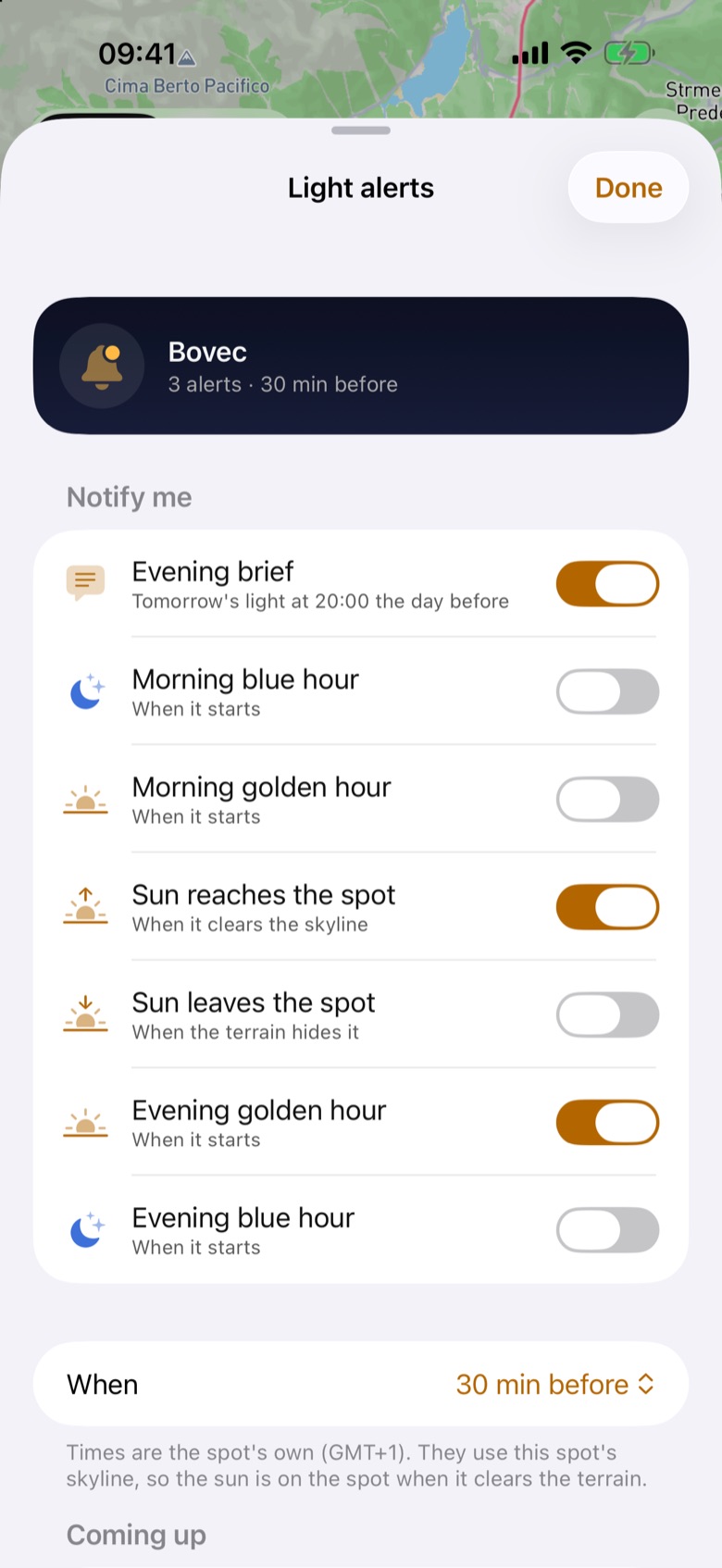
Per spot you can turn on an Evening brief (tomorrow’s light at 20:00 the day before), Morning blue hour, Morning golden hour, Sun reaches the spot, Sun leaves the spot, Evening golden hour and Evening blue hour, each as it starts or 15, 30 or 60 minutes before.
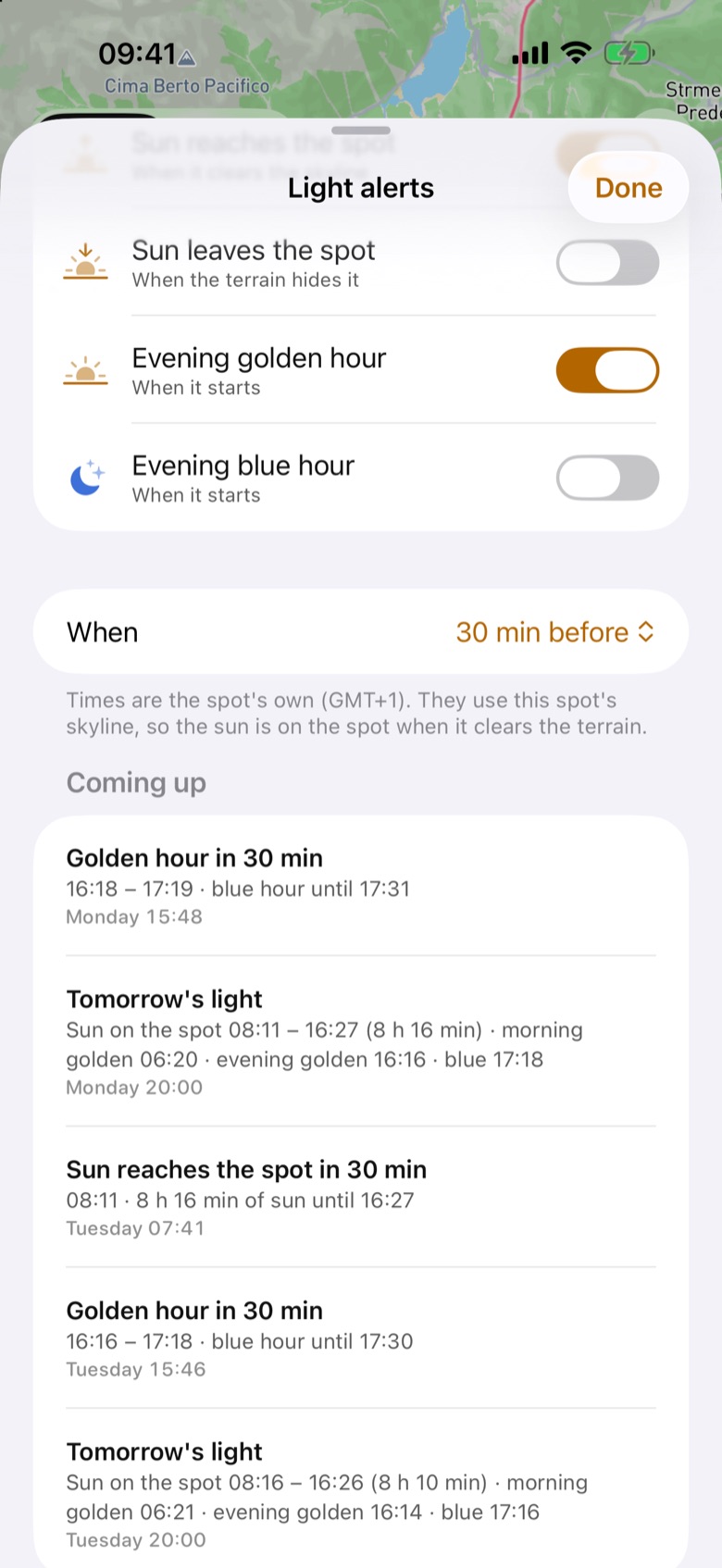
Coming up lists the next reminders, so you can check what will arrive. ☰ > Light alerts shows every spot with alerts on.
How it works
The reminders are planned on your iPhone a week ahead and planned again when you open the app or something changes. Nothing goes through a server. The time-sensitive ones break through Focus, and they also show on a paired Apple Watch.
How to use it
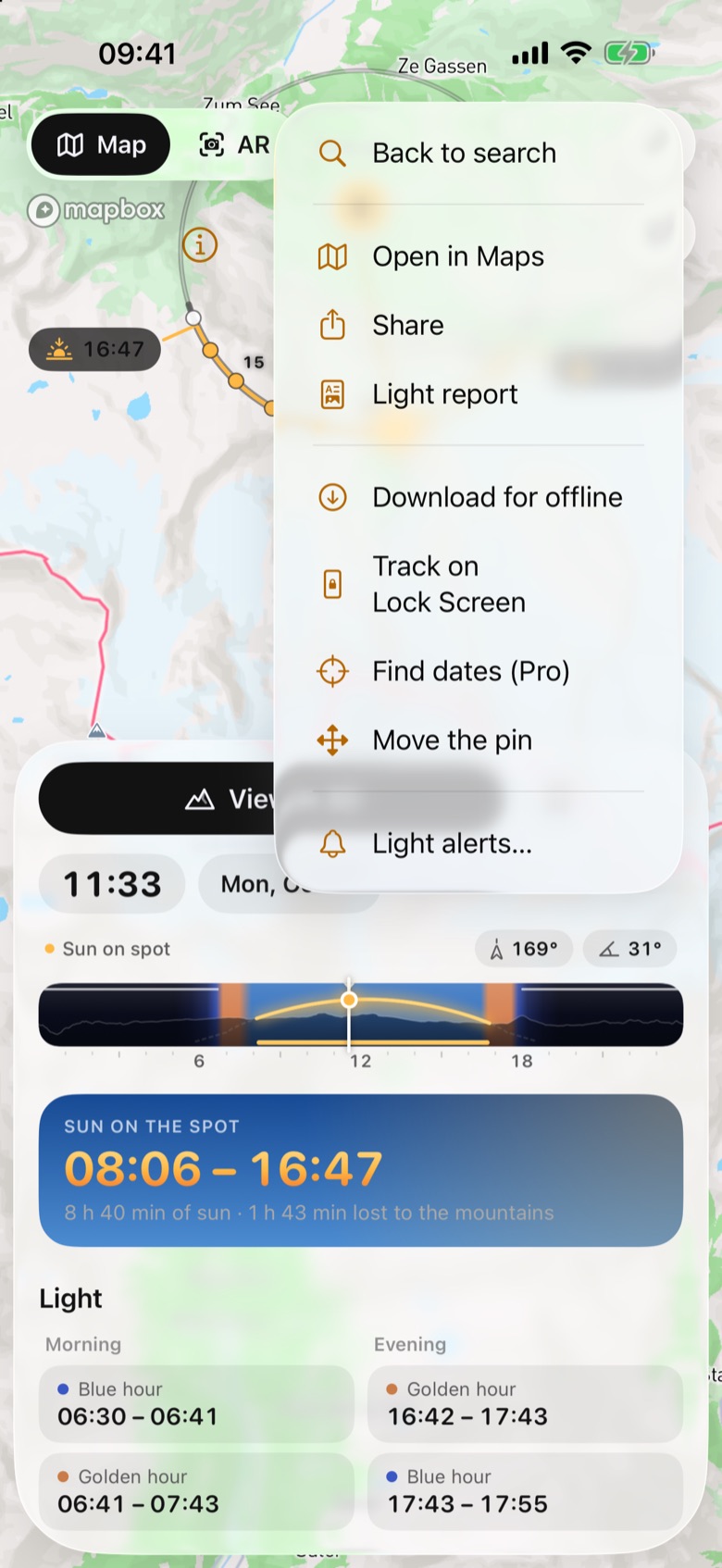
- Open a spot and tap … (More) on the place card, then Light alerts…. This saves the spot too: alerts are for spots you come back to. (On a saved spot, the bookmark menu has Light alerts… as well.)
- Turn on the alerts you want and pick When: as it starts, or 15 min, 30 min or 1 h before.
- Allow notifications when iOS asks.
In the app
Tips
- The evening brief is the one to keep on for a trip: one quiet note with tomorrow’s sun, golden and blue hour.
Good to know
- Alerts are clear-sky times. Until a spot has been opened online once, they use a flat horizon.