 Sunreach
Widgets, Lock Screen, Live Activity and Apple Watch
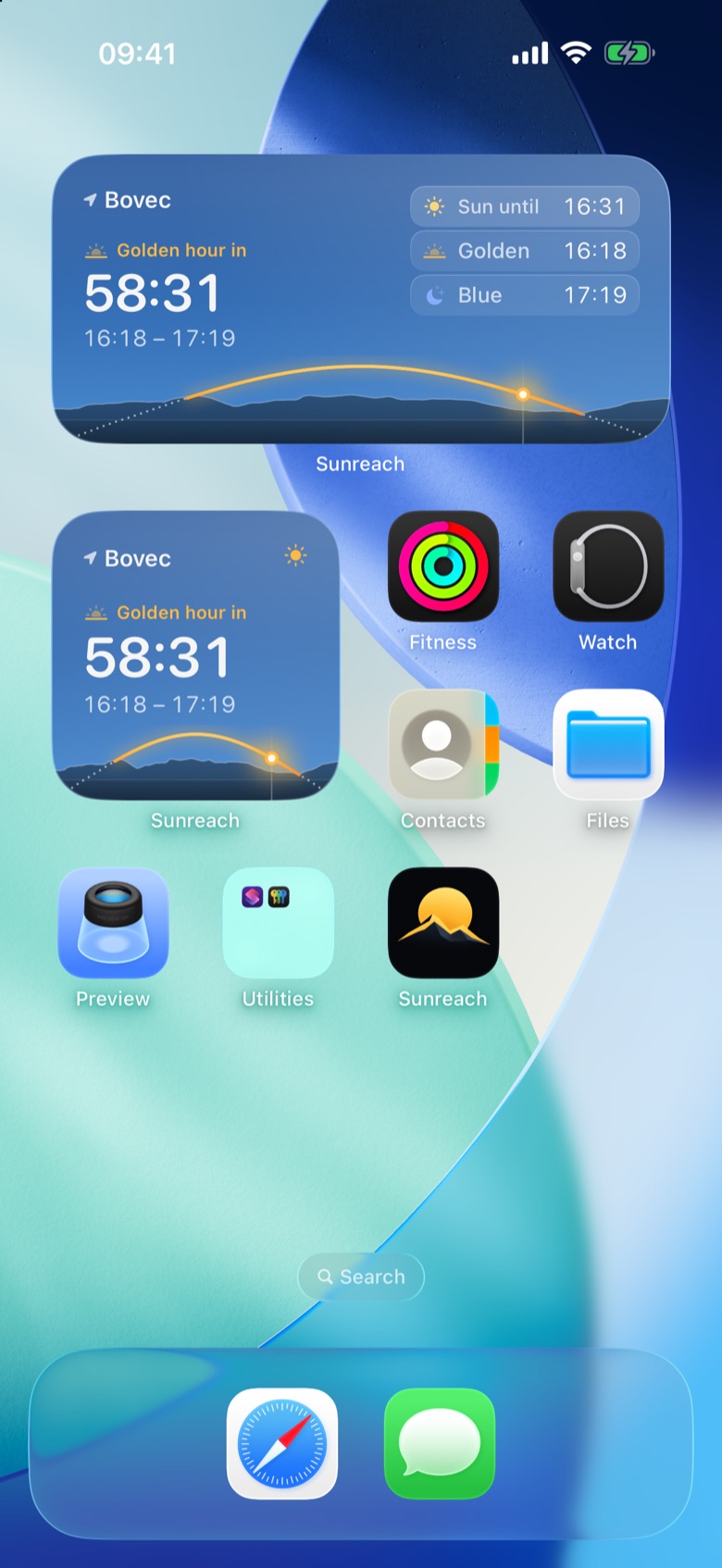
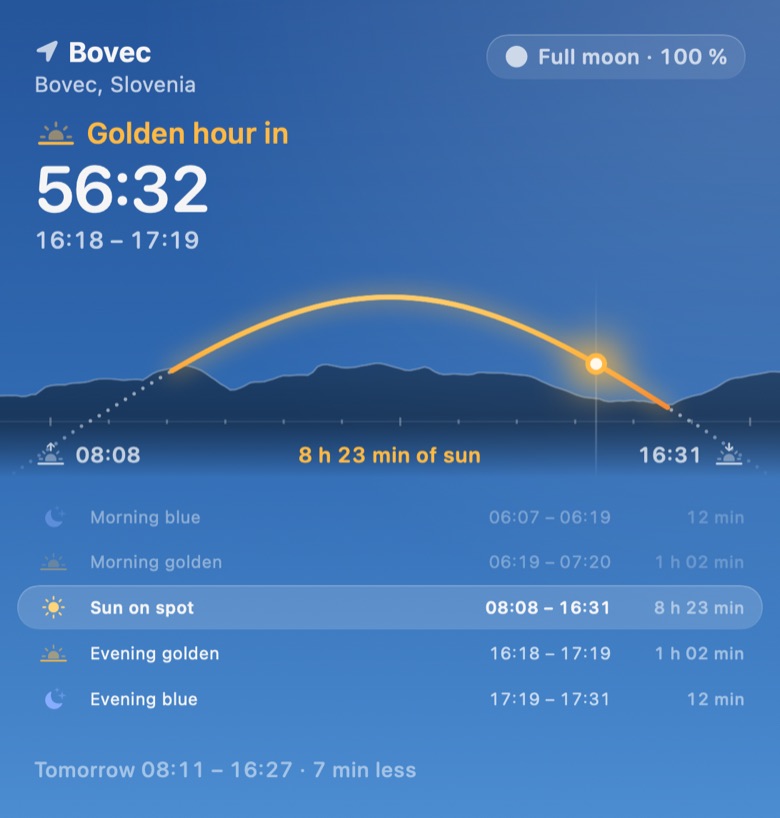
Keep a spot’s light in view without opening the app. The widget shows the next golden or blue hour with a countdown and the day’s sun drawn as a glowing arc over that spot’s own skyline, on a background that matches the sky right now: blue by day, warm at golden hour, starry at night.
The small widget is free; every size, Live Activity and the Watch app are part of Sunreach Pro.
Sunreach is coming soon to iPhone and iPad; screenshots are from the iOS Simulator, 26–27 October 2026.
What it does
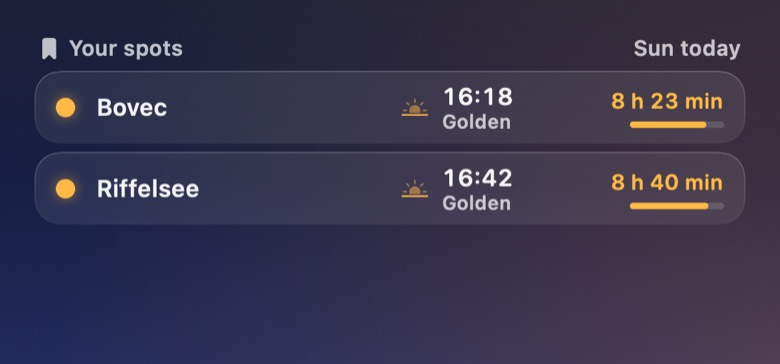
Light at a spot comes in small, medium, large and extra large (iPad), and in the Lock Screen sizes. It follows the last spot you opened or a saved spot you choose. Your spots compares up to six saved spots: sun now, next golden hour and today’s hours of sun.
A Live Activity follows the light window in progress or the next one on the Lock Screen and in the Dynamic Island. The Sun path in AR control opens AR from Control Center, the Lock Screen or the Action button. The Apple Watch app shows the same spot with the day’s sun, the windows and the moon, plus complications.
How it works
The app writes each spot’s day (with its skyline) for the widgets when you open it, so widgets show terrain-aware times without loading terrain themselves.
How to use it
- Touch and hold the Home Screen, tap Edit > Add Widget and search for Sunreach.
- Pick Light at a spot or Your spots and a size, then Add Widget.
- To choose the spot, touch and hold the widget and edit it; by default it follows the last spot you opened.
- For a Live Activity, open a spot and tap … > Track on Lock Screen.
In the app
Tips
- Put the small widget on a Lock Screen-sized stack for a trip spot: the countdown says how long until golden hour.
Good to know
- The Home Screen shot comes from the Simulator; the large and Your spots images are drawn from the widgets’ own code with the same data. The widgets have not yet been checked on many real Home Screens.
- The Apple Watch app builds but has not been run on a watch yet; it may not be in the first release.