 Sunreach
Light report: a shoot guide for one spot
The light report gathers everything Sunreach knows about one spot and one day into a single page you can read on site or send to the people you shoot with. It starts with the best light of the day and ends with the coming week.
Part of Sunreach Pro; the menu item stays visible with a Pro badge.
Sunreach is coming soon to iPhone and iPad; screenshots are from the iOS Simulator, 26–27 October 2026.
What it does
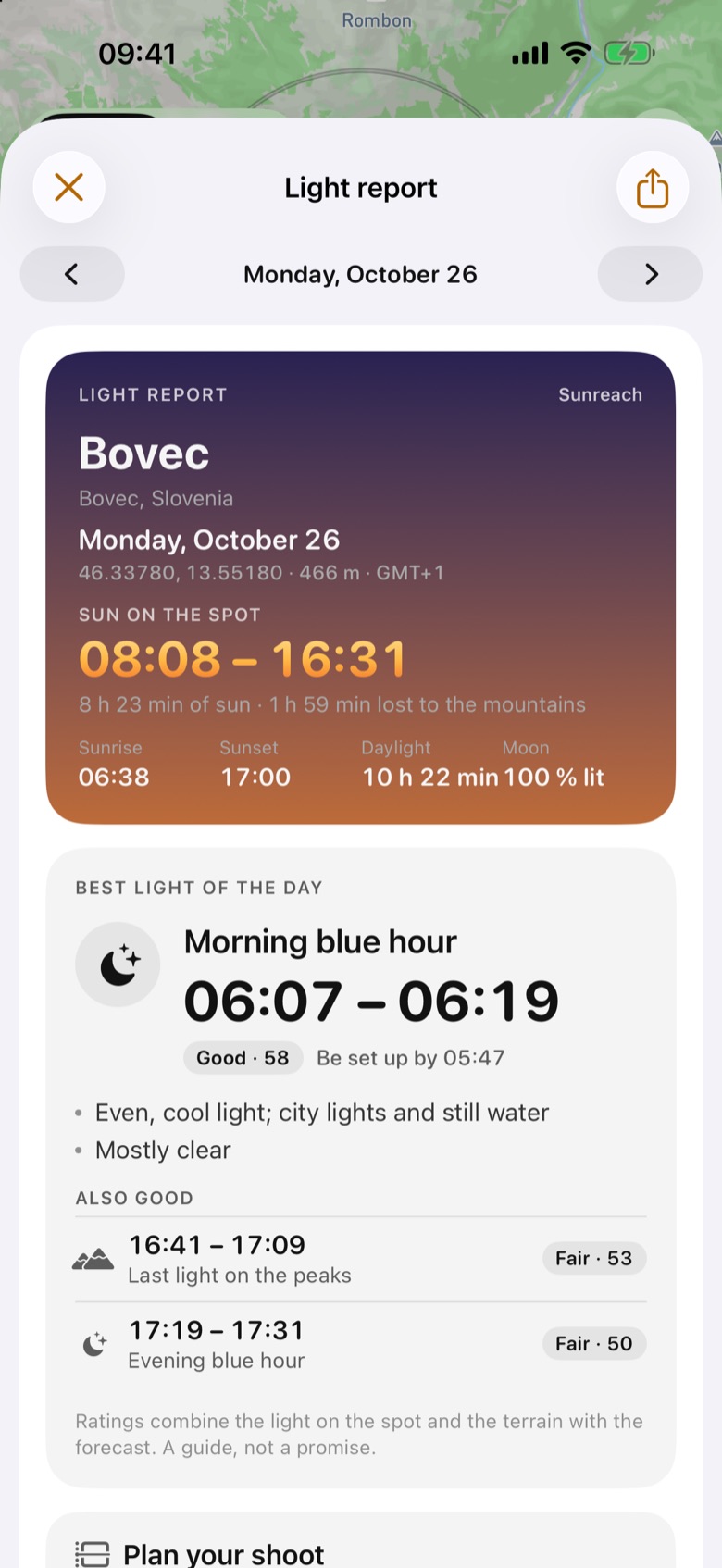
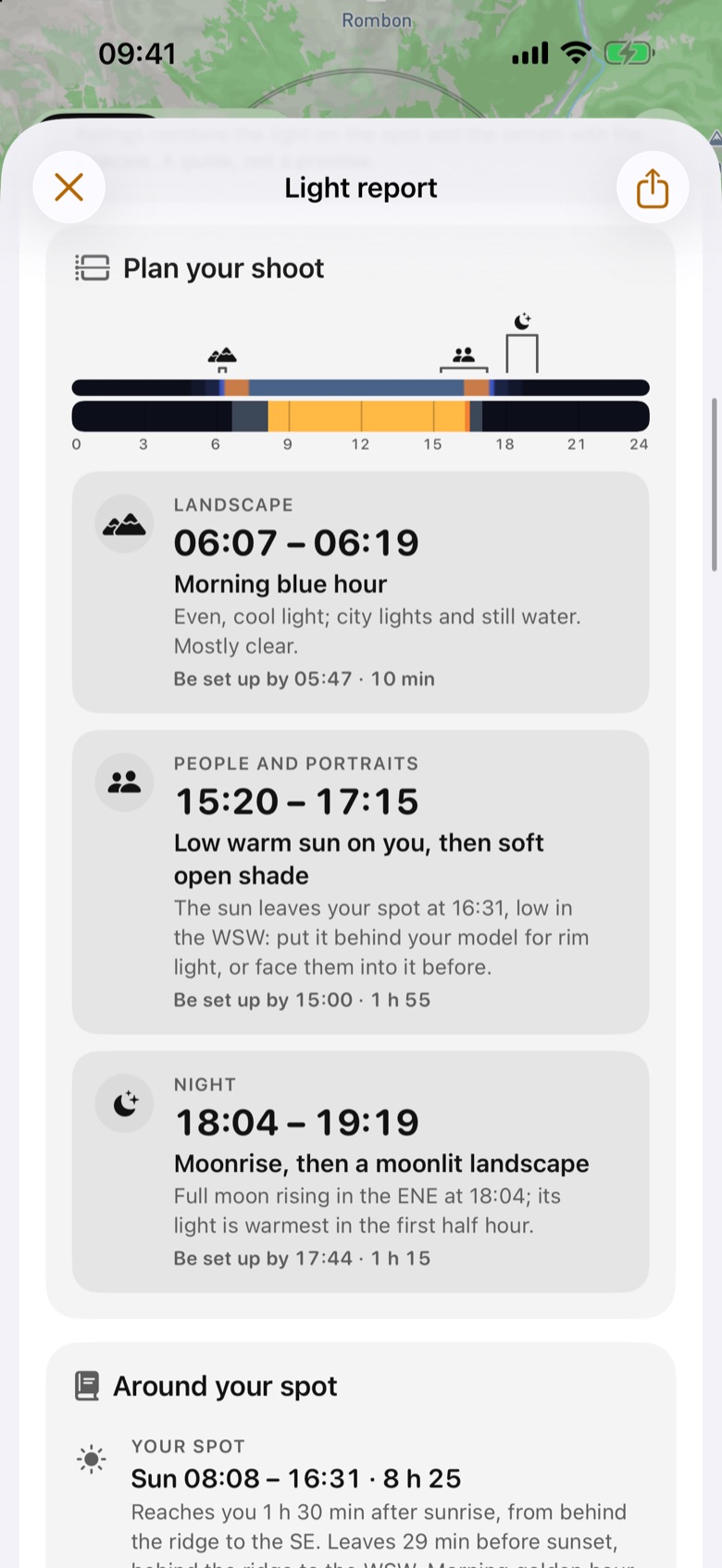
At the top: the spot, the date and the sun on the spot, then Best light of the day with a rating and a time to be set up by. Plan your shoot lays out windows by subject: People and portraits, Landscape and Night, each with a time range, a one-line reason and how long it lasts.
Then a guide by topic (your spot’s sun and what hides it, lit peaks, the moon, fog, weather), a map with the sun’s rays, the skyline with named peaks, the forecast, the coming week, the night sky and eclipses.
How it works
The report is written by rules, not by AI. It combines the terrain-aware sun times with golden and blue hour, the moon, the Apple Weather forecast (cloud toward the sun, visibility, wind) and the peak light and fog estimates.
Each moment gets a score from the light on the spot and the forecast: Great, Good, Fair or Poor. Sections with nothing to say are left out.
How to use it
- Open a spot and tap … (More) on the place card.
- Choose Light report.
- Use ‹ and › at the top to move a day back or forward, or Today to come back.
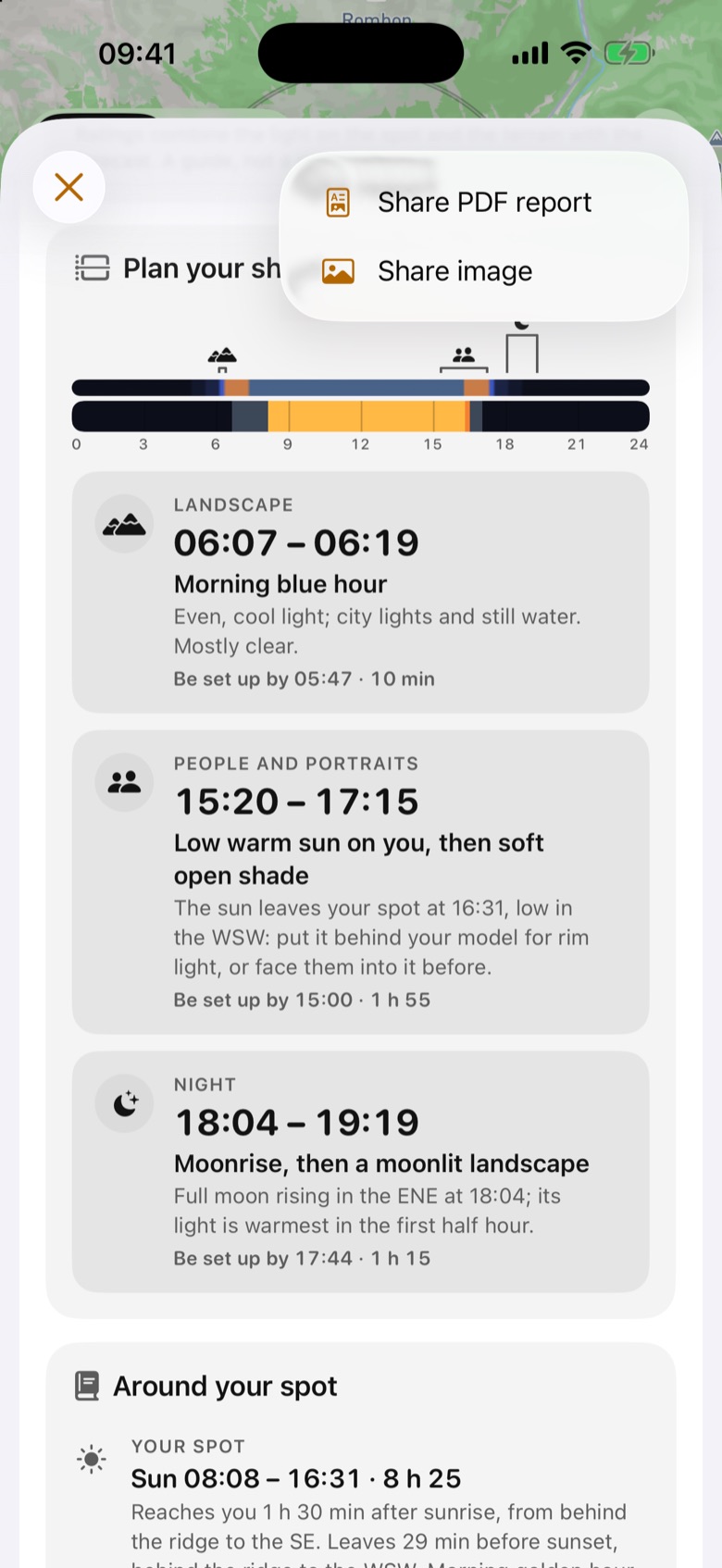
- Tap the share button and choose Share PDF report (the whole report on one long page) or Share image (a card with the header, best light, shoot plan and skyline).
In the app
Tips
- Send the PDF to a model or a client with the “Be set up by” times: they are when to be ready, not when the light starts.
- Change the day in the report and the plan follows, so you can go straight to 3D for the same moment.
Good to know
- Ratings combine geometry with a forecast. They are a guide, not a promise: weather near mountains changes quickly.
- Forecast sections need a network and reach 10 days ahead.