 Sunreach
Sun map: sun directions, heading-up and moving the pin
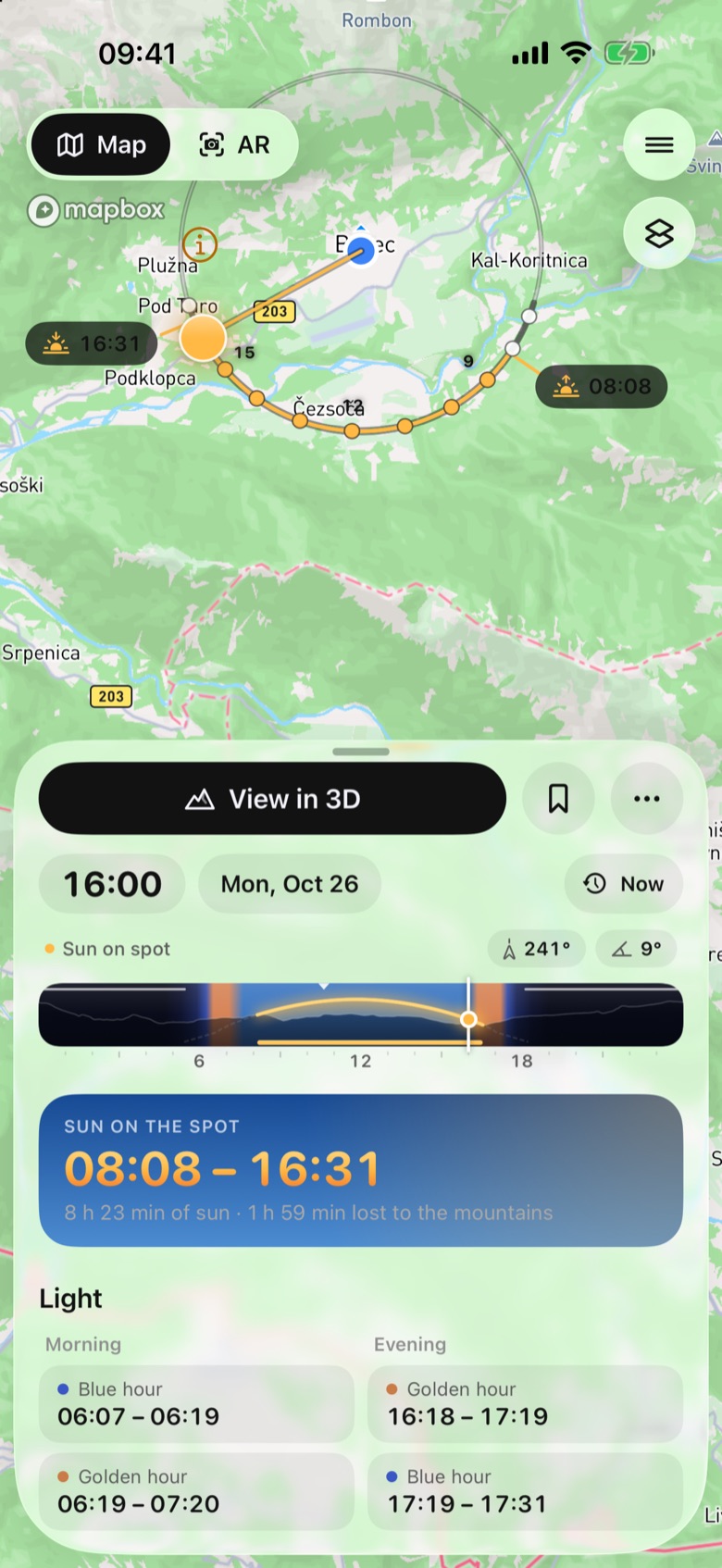
The home map draws the day’s sun around your pin: an hour mark for every hour of daylight in the sun’s direction, gold when the sun reaches the spot and hollow when terrain hides it. Move the pin and everything is worked out again for the new point.
Free.
Sunreach is coming soon to iPhone and iPad; screenshots are from the iOS Simulator, 26–27 October 2026.
What it does
Around the pin, a ring of hour marks shows where the sun is through the day, with sunrise and sunset labels over the skyline and a ray for the time on the clock (gold in sun, blue behind terrain, silver for the moon at night).
Buttons on the right open the menu, turn the map with your phone (heading-up) and change the map style: Mapbox, Terrain, Satellite, Satellite with roads or Relief (offline).
How it works
Moving the spot keeps the picked day and time. If the new point is within the terrain already loaded, only the skyline and the times are recomputed, which takes a fraction of a second; farther away the terrain loads as for a new spot.
Heading-up uses the phone’s compass to turn the map around your pin, so the sun’s rays point where they will be in front of you.
How to use it
- To move the pin by hand, touch and hold it until it lifts, drag it and let go.
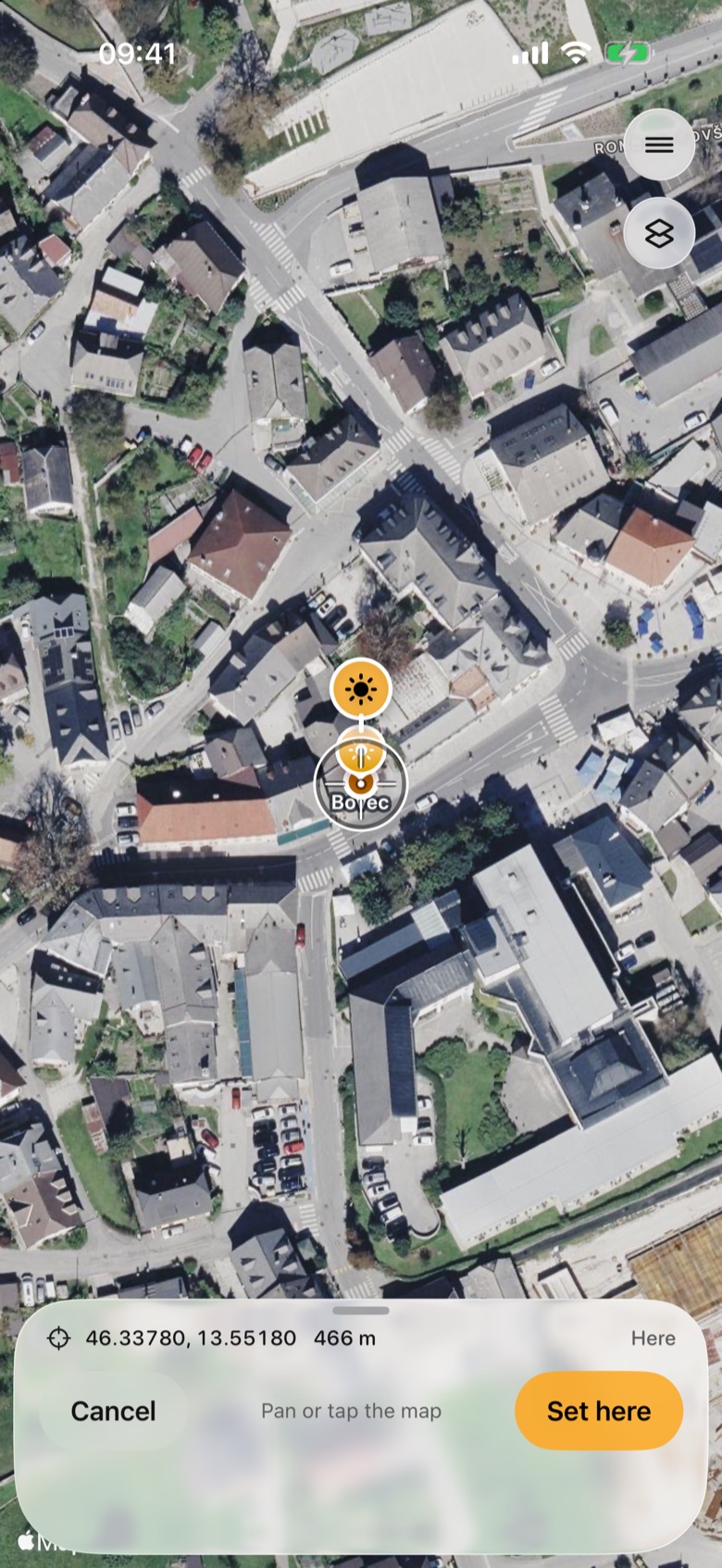
- To place it exactly, tap … (More) > Move the pin. The map zooms in on satellite imagery with a crosshair; pan or tap the map, check the coordinates and height, then tap Set here.
- To turn the map with your phone, tap the heading-up button on the right. Pan, zoom or tap the north button to stop.
- Drag the clock strip and watch the ray swing round the pin.
In the app
Tips
- Typing coordinates into search sets a spot exactly, for example 46.3378, 13.5518.
- The rays fade when the map is tilted steeply; tilt back to read them.
Good to know
- Heading-up needs a compass, so it is not available in every situation (and not in the Simulator used for these screenshots).