 Sunreach
Aurora forecast: will it clear your skyline tonight?
Aurora apps tell you the Kp. Sunreach tells you whether that Kp is enough for the place you are standing, with the mountains toward the pole counted, and which spot within a drive is the best bet tonight.
Free, including alerts for your location and one saved spot. Sunreach Pro ranks every spot within a drive and alerts for every saved spot.
Sunreach is coming soon to iPhone and iPad; screenshots are from the iOS Simulator, 26–27 October 2026.
What it does
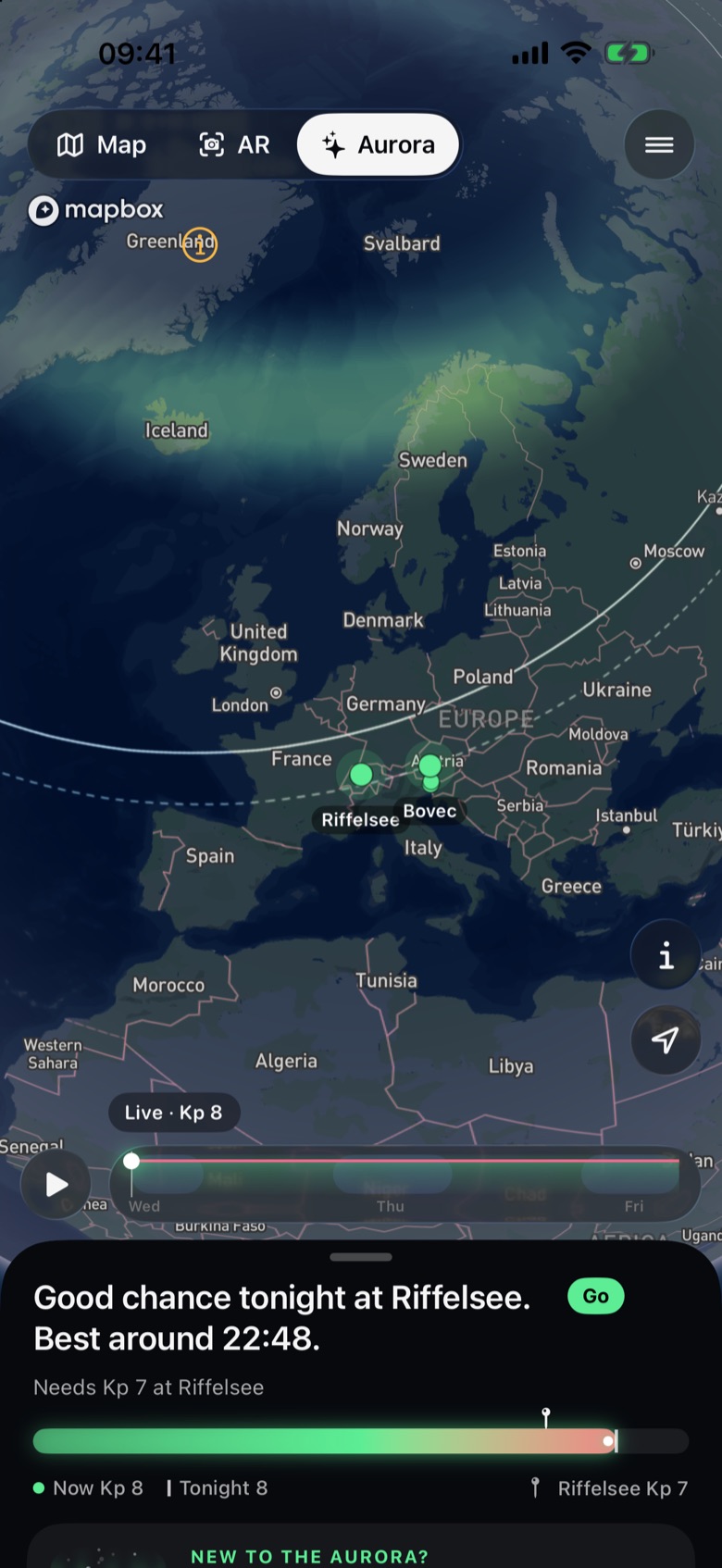
The Aurora tab sits beside Map and AR. It opens on the whole Earth at night with NOAA’s live aurora oval, the line from which the aurora shows low on the horizon by eye (solid) and in a long exposure (dashed), and your places as pins in tonight’s colours: Go, Maybe or Unlikely.
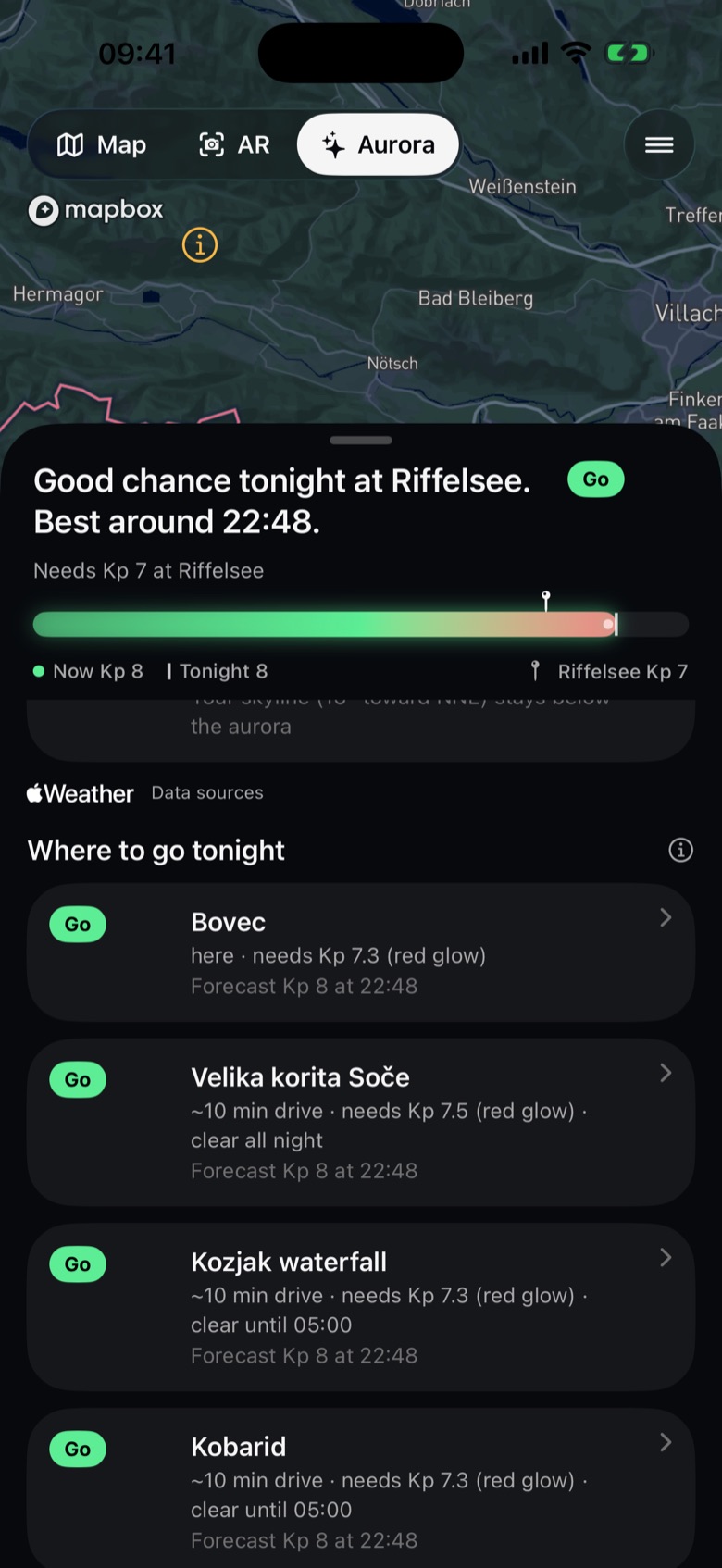
The panel opens on what is happening in one line (“A calm Sun. The aurora rests over the Arctic.”, “Good chance tonight at Bovec. Best around 23:10.”) and a bar of Kp now against what your spot needs. Below, What’s happening tells it from the Sun to your night: the solar wind now, what is on its way (fast streams, CMEs), tonight at your spot, the next three days in NOAA’s words, the coming weeks and the season. A slider over the globe plays the next three days, the oval growing and turning with the night.
Where to go tonight ranks your saved spots and the photo spots within about 250 km by what each needs over its own skyline, tonight’s forecast while it is dark there and the cloud hour by hour: “~40 min drive · needs Kp 7.3 · clear until 04:00”.
The plan of any spot has an Aurora row with what it needs, the peaks it would rise over and a night timeline with the Moon and the Milky Way. In AR and 3D eye level the glow is drawn where it would stand at that time, behind the real terrain.
How it works
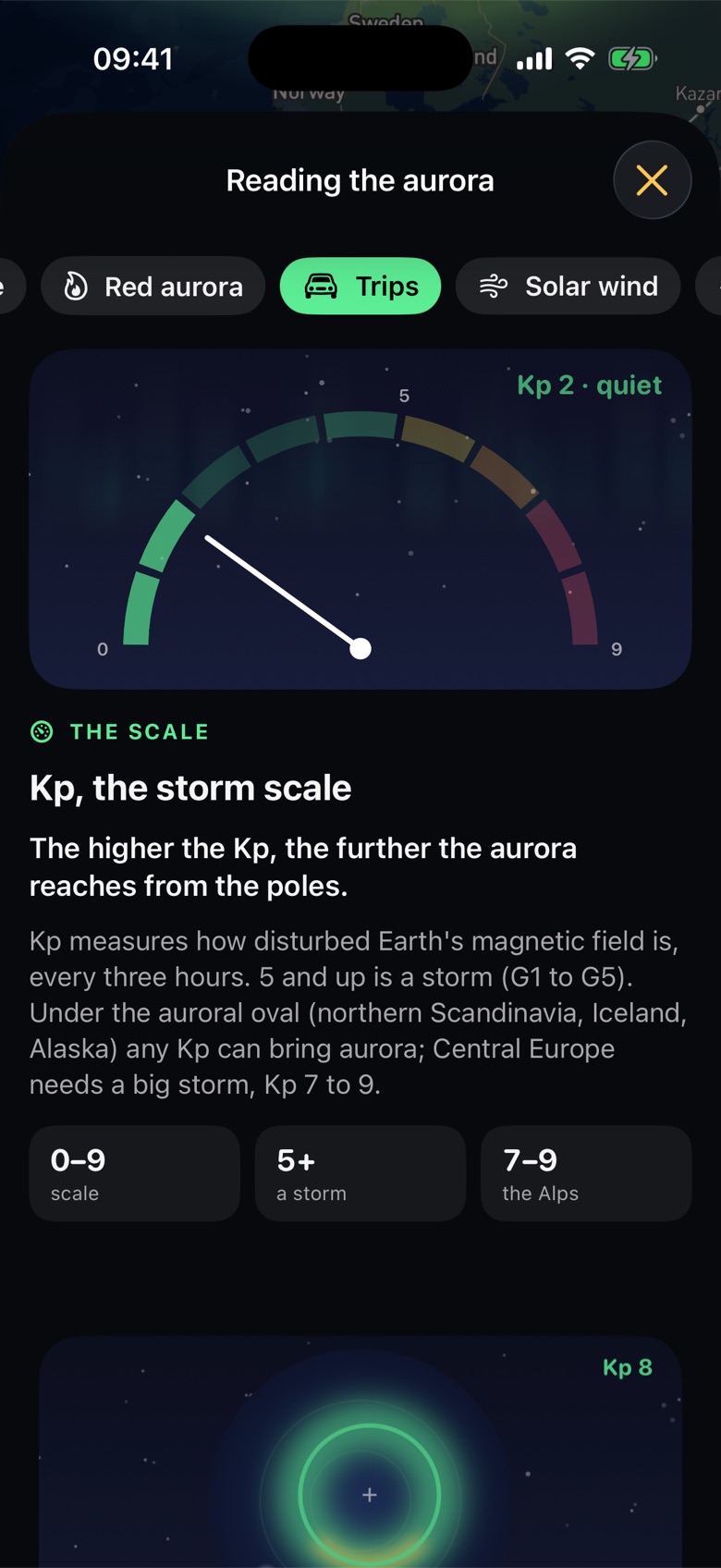
The aurora sits in an oval around the magnetic pole, not the geographic one. The higher the Kp, the further it reaches: each Kp step moves the line from which it shows about 227 km toward the equator. Sunreach turns NOAA’s Kp table into a need for your exact spot from its magnetic latitude, then reads the real skyline toward the pole: a mountain wall that stands higher than the aurora’s top raises the need. The oval also turns with the night: it reaches furthest from the pole near magnetic midnight (about 23:00 in Europe) and pulls back toward dusk and more toward dawn, so a spot needs about 0.8 Kp more in the early evening and 1.7 more at dawn; the verdict and the best time count it.
In big storms (Kp 7 and up) the red glow, 200 to 400 km up, shows from much farther than the green; the plan counts it and says so. A camera records about 1.5 Kp more than the eye. Data: NOAA SWPC (OVATION, Kp, solar wind, WSA-ENLIL, 27-day outlook) and GFZ Potsdam’s half-hourly Hp30.
How to use it
- Tap Aurora next to Map and AR (or ☰ › Aurora). In Auto it shows where the aurora is common and, elsewhere, while a storm is forecast that reaches you.
- Read the top of the panel: what is happening in one line, tonight’s verdict for your place and a bar of Kp now against what it needs.
- Pull the panel up for What’s happening (from the Sun to your night), Where to go tonight, the Kp chart over your dark hours and the solar wind. Explain the aurora opens the guide with a moving picture for each idea.
- Tap a spot to open its plan, or tap anywhere on the globe to see what that point needs.
- Turn on Aurora alerts for a note when the forecast reaches one of your places while it is dark.
In the app
Tips
- Driving 200 km toward the pole takes about one Kp off what you need: in a near miss, the trip list shows where that pays.
- Set the aurora to On in Settings › Night sky if you plan a trip north; Off hides it everywhere.
Good to know
- The need comes from a magnetic dipole and NOAA’s Kp table: a guide, not a promise. Substorms come and go within minutes.
- Forecasts more than a day ahead often miss by a Kp or two, and a CME’s strength is only known about an hour before it arrives.
- Cloud comes from Apple Weather; light pollution is not counted yet.